Mine IPTV Installation Guide
Here are step-by-steps on how to install Mine IPTV App on your favorite devices
Install Mine IPTV on FireStick
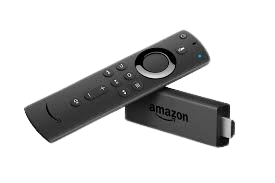
To install Mine IPTV on Firestick, you can follow these steps:
- Go to the Firestick home screen and select “Settings” from the top menu.
- Select “My Fire TV” or “Device” (depending on your Firestick version).
- Select “Developer options” and turn on “Apps from Unknown Sources”.
- Go back to the home screen and select the search icon.
- Type in “Downloader” and select the Downloader app from the search results.
- Install the Downloader app and open it.
- In the Downloader app, enter the URL for the Mine IPTV APK file: https://www.iptvsmarters.com/smarters.apk mV3
- Wait for the APK file to download and then select “Install” when prompted.
- Once the installation is complete, you can open Mine IPTV from your Firestick home screen.
.
Install Mine IPTV on Android

To install Mine IPTV on your Android device. Please follow these steps:
- Enable “Unknown sources”: Before installing Mine IPTV, you need to enable the installation of apps from unknown sources. To do this, go to your Android device’s Settings > Security > Unknown Sources, and toggle it on.
- Head on to your in-built web browser.
- Download the Mine IPTV APK file: You’ll need to type in the Mine IPTV APK file on your browser: https://www.iptvsmarters.com/smarters.apk
- Install the Mine IPTV app: Once you’ve downloaded the APK file, locate it in your device’s file manager or Downloads folder. Tap on the file to start the installation process. Follow the on-screen instructions to complete the installation.
- Launch the Mine IPTV app: After the installation is complete, you can find the Mine IPTV app in your device’s app drawer. Tap on the app icon to launch it.
- Sign in or create an account: If you already have an Mine IPTV account, sign in with your credentials. If you don’t have an account, you’ll need to create one to access the content.
- Enjoy Mine IPTV: Once you’re signed in, you can start enjoying the content available on Mine IPTV.
.
Install Mine IPTV on roku
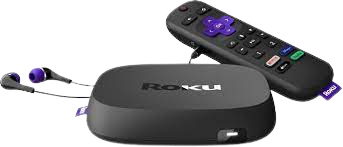
How to Install Mine IPTV on Roku With a Simple Trick
- Part 1: Enabling developer options on Roku.
- Part 2: Adding the IPTV Smarters Pro channel.
- Part 3: Downloading the IPTV Smarters package on your computer.
- Part 4: Installing IPTV Smarters on Roku.
- Part 5: Enter your provided Mine IPTV login credentials on the Smarters app.
- Part 6: Enjoy Mine IPTV: all done, now you can start enjoying content available on Mine IPTV through the Smarters app on your Roku device.
Install Mine IPTV on Appel (iphone, Ipad, Mac book...)

To watch Mine IPTV on your iPhone via Smarters Pro, you will need to follow these steps:
- Download and install the Smarters Pro app from the App Store.
- Open the and click on the “Add New User” button.
- Enter your Mine IPTV login credentials, including your username and password.
- Click on the “Add” button to save your login information.
- Once you have added your user account, click on the “Live TV” section of the app or ”VOD” to start watching Mine IPTV channels and movies.
- That’s it, you have now installed Mine IPTV on your iPhone.
If you encounter any issues while setting up or using the app, please contact Mine IPTV‘s customer support team for assistance.